
In-Store Customer Counting
Customer Counter
Track in-store customer numbers to measure true conversion rates and optimise staffing. AI-powered customer counters with 98%+ accuracy for retail stores of all sizes. From £720 per store per year.

Trusted by leading brands





The problem
Why You Need a Customer Counter
Without a customer counter, you know how many transactions you make but not how many customers walked through the door. Your true conversion rate is invisible.
Comparing stores by revenue alone ignores traffic differences. Two stores with identical sales may have wildly different customer volumes — and different problems to solve.
Without customer counter data, shift patterns are based on intuition. This means overstaffing during quiet periods and understaffing when customers actually need help.
Simple setup
How Customer Counting Works
Install the Sensor
Mount the Hoxton AI customer counter above your entrance in 15 minutes. No specialist tools — just power and WiFi.
Count Every Customer
The customer counter uses AI vision to count every person entering and exiting with 98%+ accuracy — even groups and families.
Connect Your POS
Link Shopify, Square, or your POS to pair customer counts with transactions. Conversion rates calculate automatically.
Optimise Performance
View real-time customer counting dashboards. Align staffing to traffic, measure campaigns, and benchmark stores by conversion rate.
Customer Counter Performance
98%+
Customer counting accuracy
15 min
Installation time
Real-time
Conversion dashboards
10-15%
Typical labour savings
Everything You Need in One Package
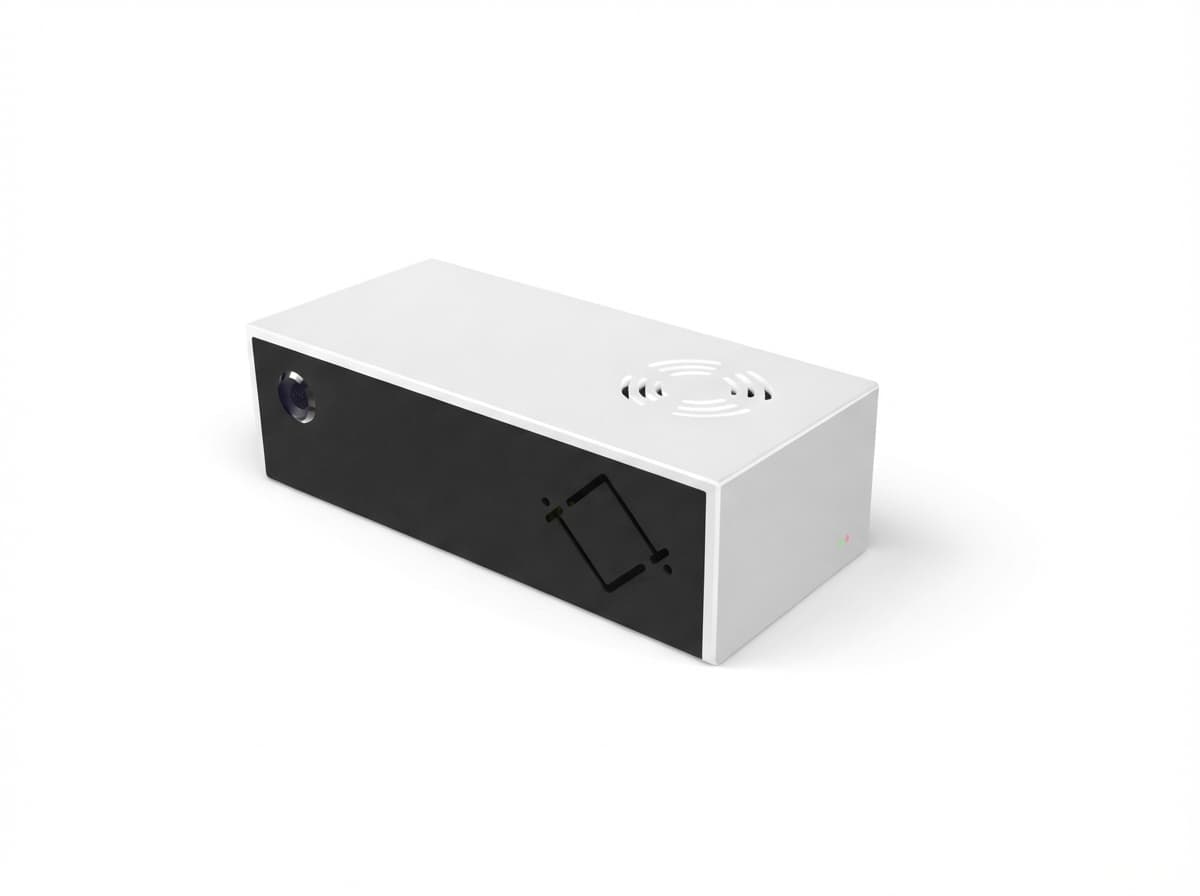
Overhead S1 sensor installs in 15 minutes at each entrance. 98%+ accuracy for reliable customer counts and conversion rates.
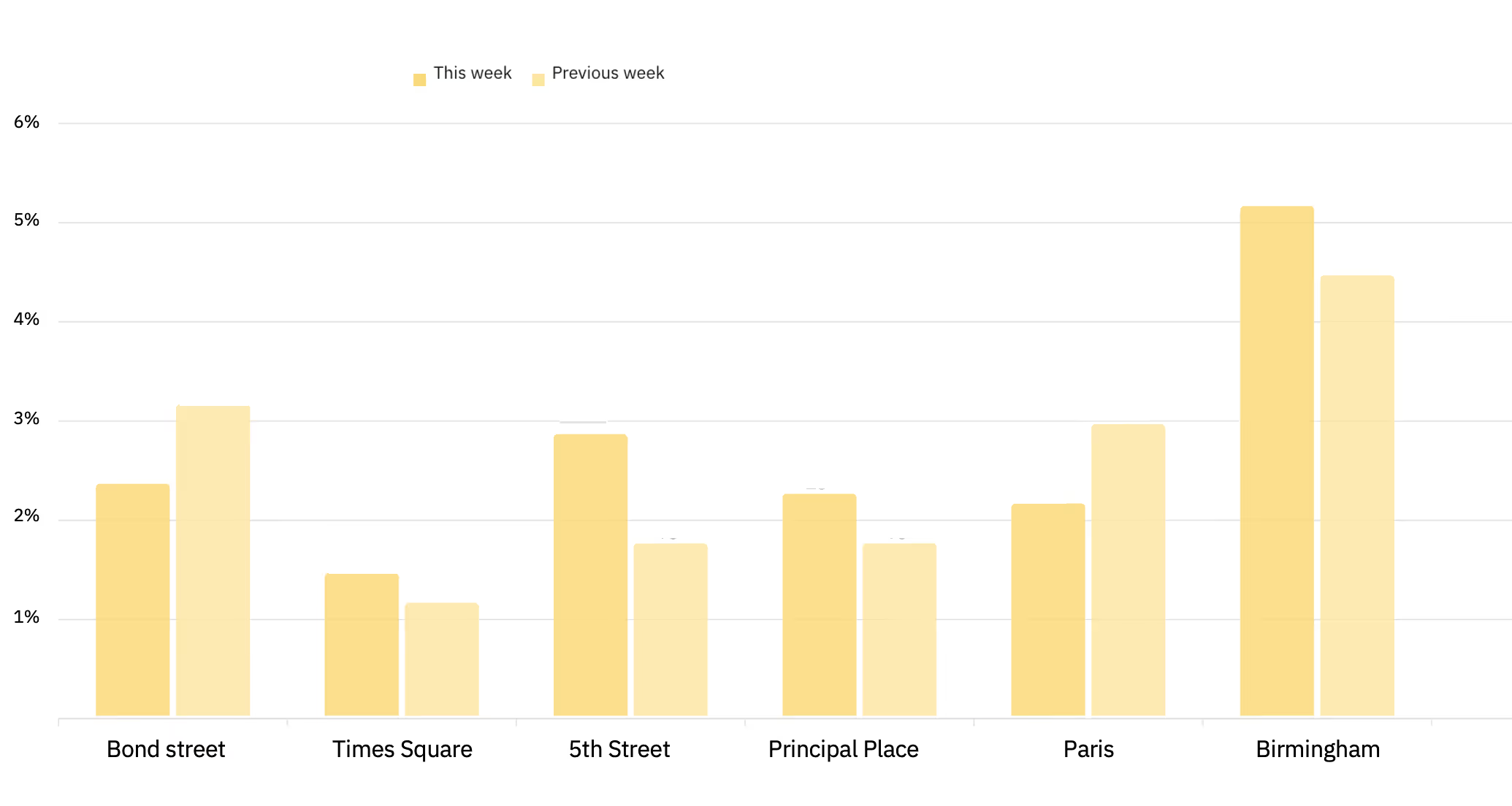
Customer counts paired with POS transactions give you real-time conversion rates, peak hour analysis, and store-by-store benchmarking.
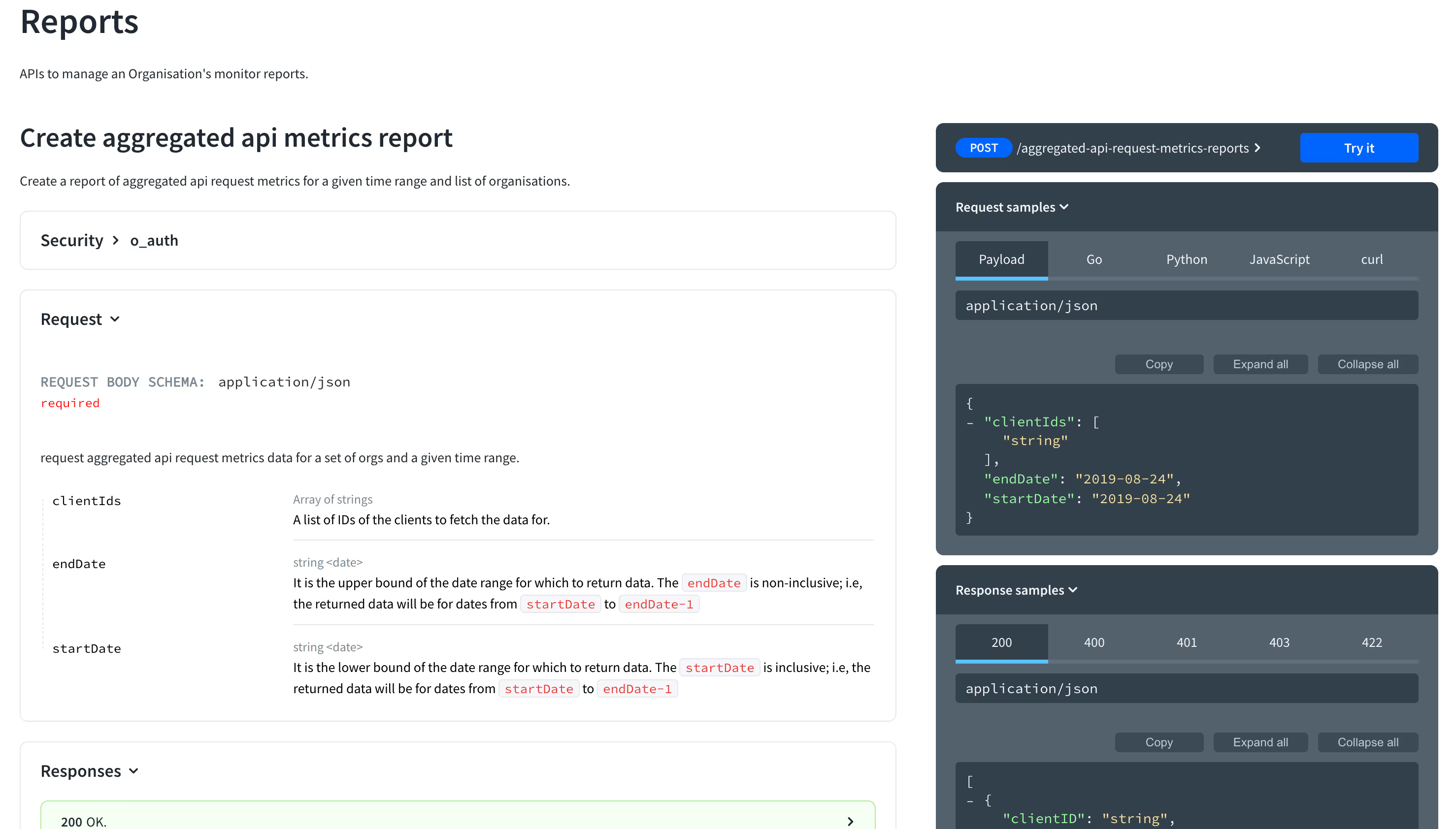
Out-of-the-box integration with Shopify, Square, and enterprise POS. Plus a full API for custom workflows.
Why 98%+ accuracy
Counting based on journey prediction, not simple line crossings
Most people counters fire a +1 the instant something crosses a beam or line. That's fast — but it's also why they overcount. Hoxton works differently: it uses an overhead view to recognise a complete in-view journey and only counts when the journey matches a real entry or exit.
Traditional counters
A single trigger = a count, every time the line is crossed.
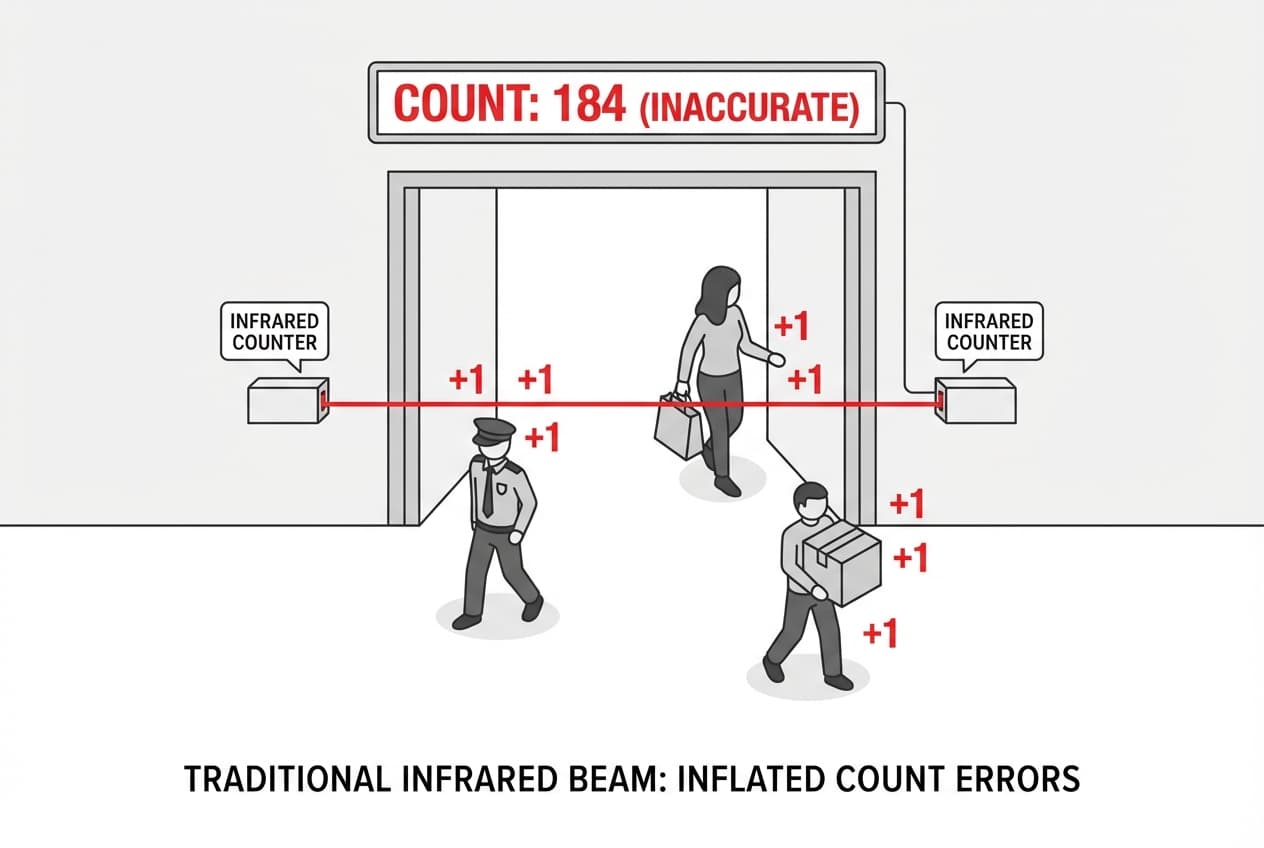
- ●Security guard pacing near the doorway? Counted repeatedly.
- ●Customer steps in, hesitates, turns back out? Often counted twice.
- ●Staff working near the entrance? Every pass inflates the number.
Result: counts drift upward anytime there's “doorway noise”.
Hoxton AI directional event counting
A count is only created when the system confirms a genuine entry/exit event.

- ●Understands a person's in-view journey from arrival to departure.
- ●Someone loops, pauses, or changes their mind? No false extra counts.
- ●A count only registers when they arrive on one side and leave on the other — a real entry or exit.
Result: accurate footfall that matches what actually happened, not how many times a line was crossed.
How directional event and journey prediction works
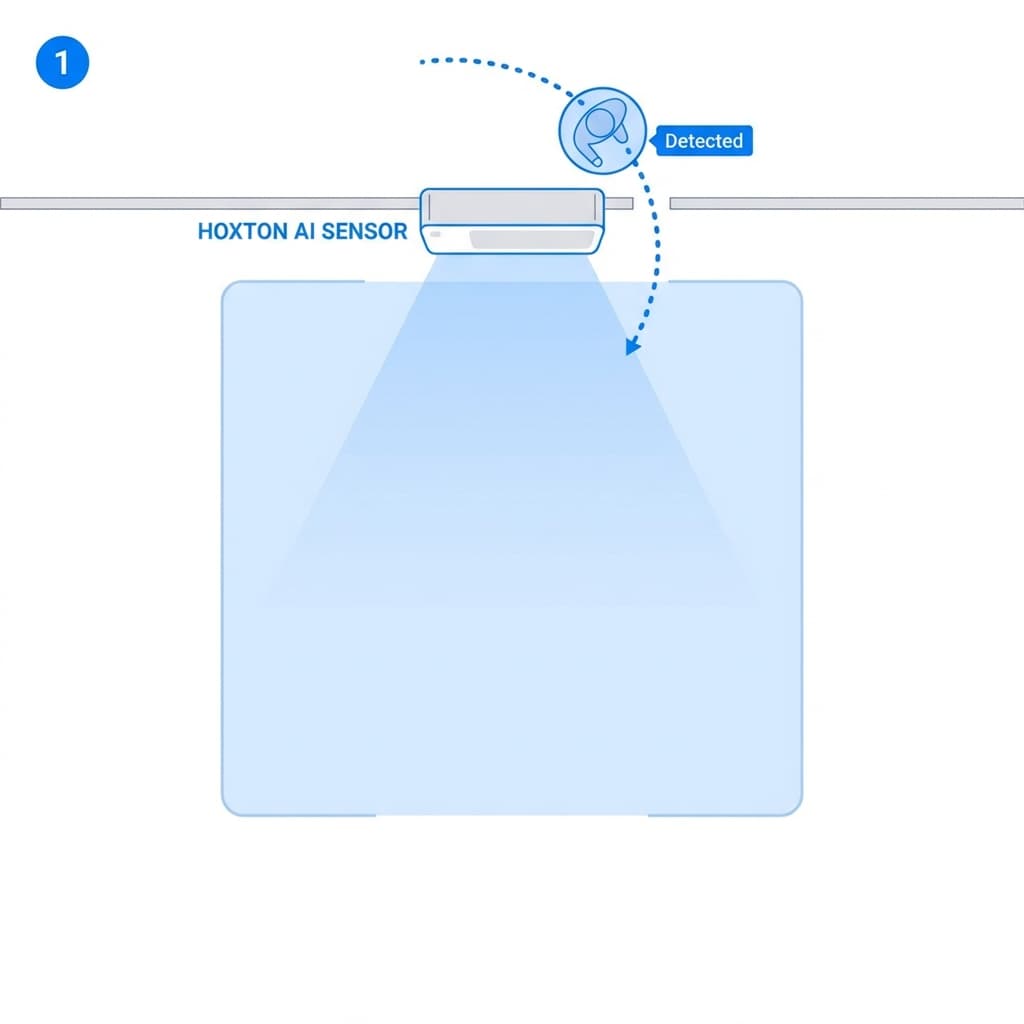
Detect
Person enters the field of view
A person is detected as they arrive in the overhead zone.
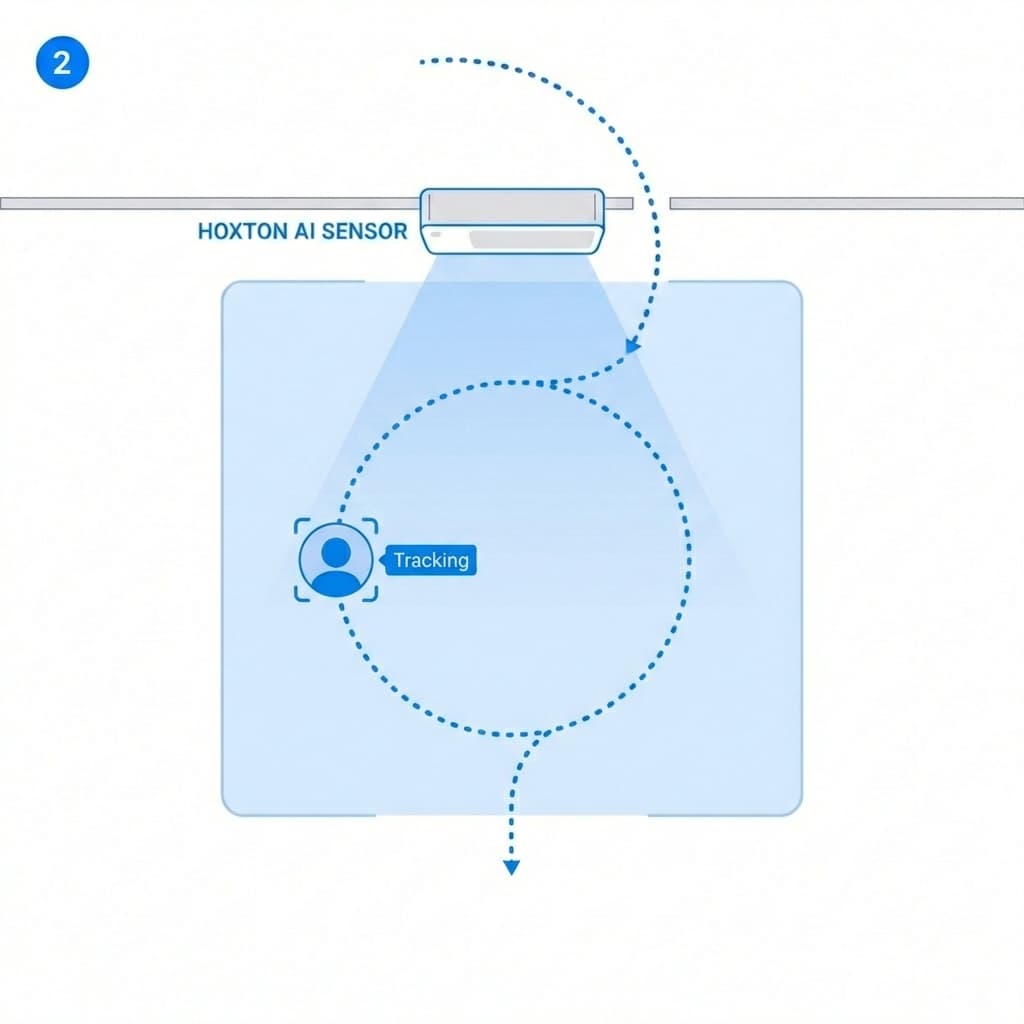
Interpret
Movement is understood in context
The system evaluates whether the movement indicates entering, exiting, or lingering/turning back (including loops and hesitation).
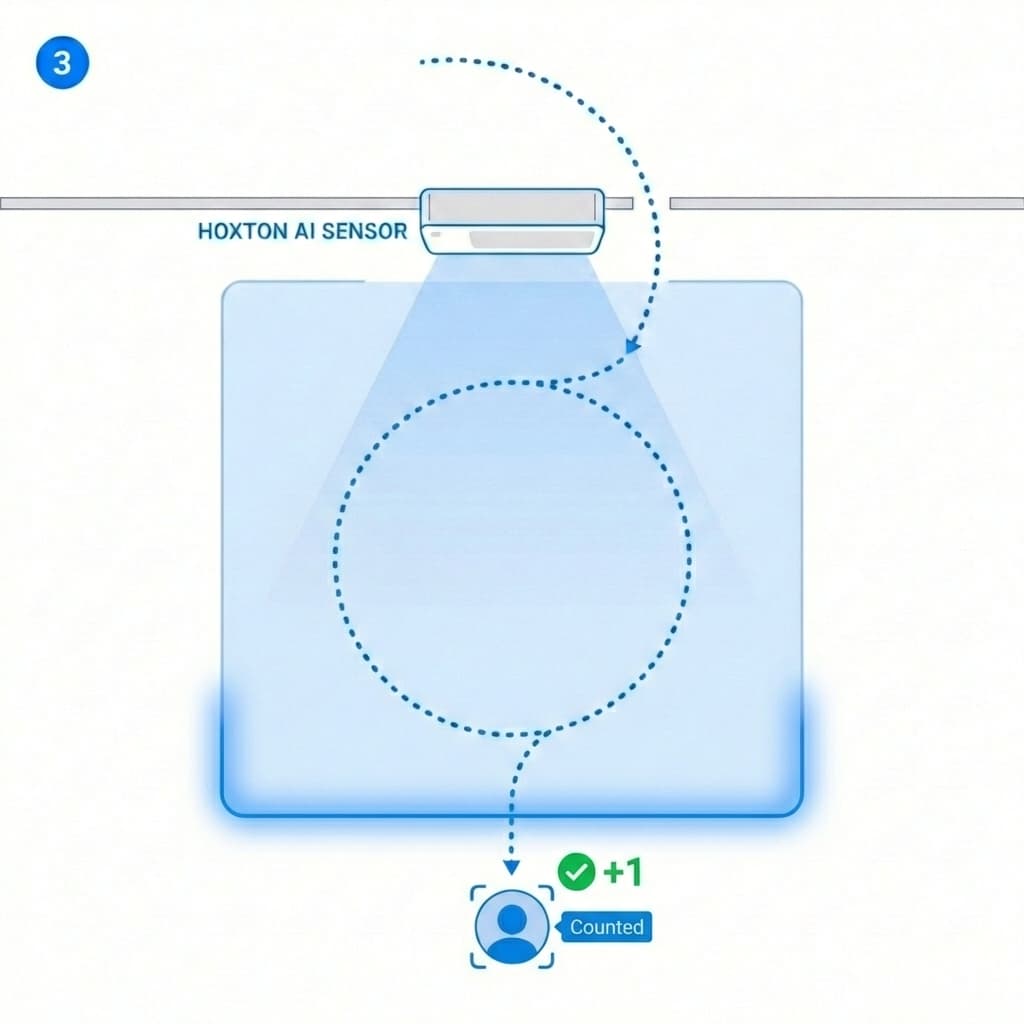
Confirm
Count only when the journey is complete
A count is recorded only when the person leaves the zone in the opposite direction — confirming a true entry/exit event, once.
Trusted by Leading Retailers
“Knowing our true customer count changed everything. We discovered our best store by revenue was actually our worst by conversion — completely different problem to solve.”
Ribble Cycles
Multi-location cycling retailer
“The integration with our POS was seamless. Within a week we had conversion dashboards that drove immediate staffing improvements.”
Lisa Angel
Jewellery and gifting retailer
Customer Counter FAQ
See It in Action
Book a demo and we'll show you real dashboards from spaces like yours.